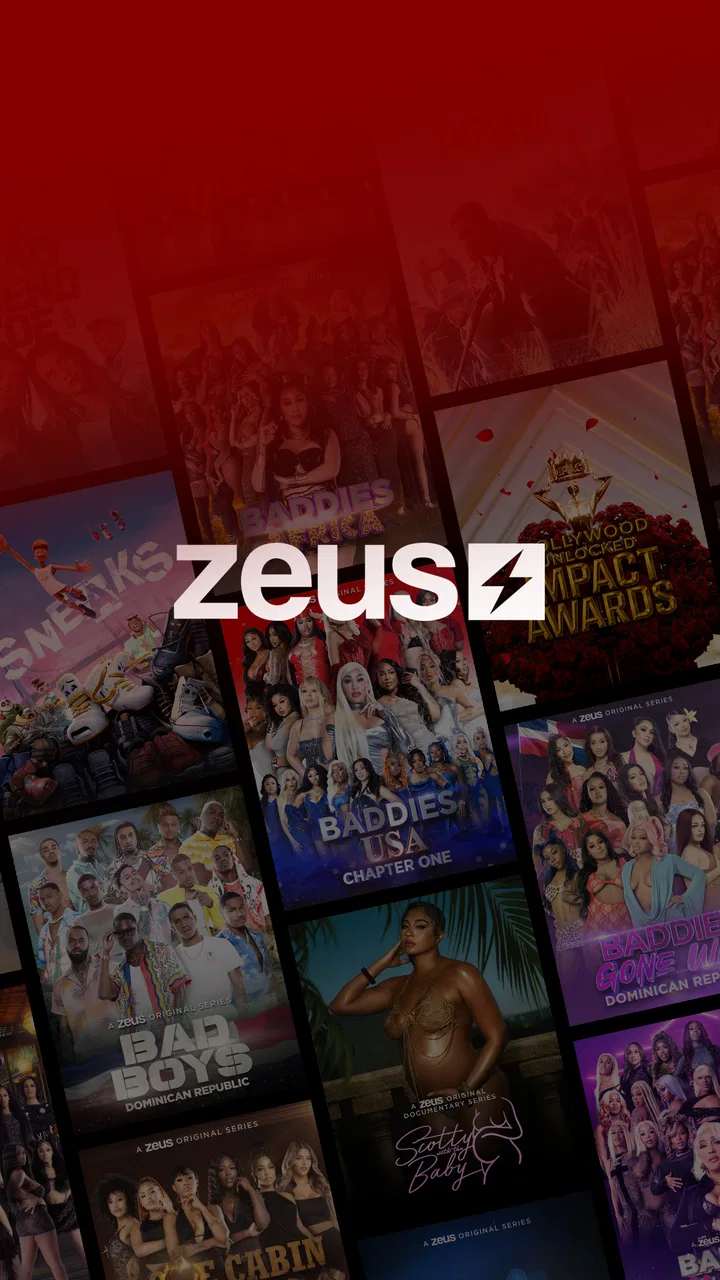
Zeus
- 4.6
- Rating
- 1.00M
- Installs
- Free
- Price

 Analysis by App-foxy
I approached Zeus as a viewer looking for a focused entertainment app rather than another general-purpose video library. It comes from The Zeus Network and is built around digital video-on-demand entertainment, so the central question is simple: does it make watching Zeus content convenient enough to justify adding another service to my phone? After spending time with the app, I found that its value depends less on complicated tools and more on how well it fits the moments when I want quick access to this particular network.
The app is free to install, carries a Teen content rating, and has become a substantial mobile destination, with over one million installs. Its average score is 4.6 from roughly thirty-one thousand ratings, alongside about eleven thousand written reviews. Those figures suggest that many viewers are satisfied with the basic proposition, although popularity alone does not tell me whether it will suit every household or every viewing habit.
My overall impression is that this is best treated as a dedicated Zeus viewing hub, not as a replacement for every entertainment app on a phone. If you already follow the network’s shows or want a direct way to explore its catalog, the narrow focus is useful. If you mainly want a broad mix of films, live television, documentaries, or free general-interest clips, the usual larger streaming alternatives will probably feel more complete.
You May Also Like

 Google Keep - Notes and lists
Google Keep’s Quiet Growth Shows the Appeal of Simpler Notes
As mobile work gets busier, Google Keep keeps winning a simple contest: capture a thought quickly, find it later, and get on with the day.

 Blood Strike: 2.5 Anniversary
Blood Strike’s Loadouts Turn Every Drop Into a Tactical Gamble
A close look at Blood Strike’s custom loadouts: how fast access to signature weapons reshapes its battle royale rhythm, rewards preparation, and narrows the gap between fights.

 Pandora - Music & Podcasts
Pandora’s Music Is Easy to Start, but Harder to Recover
Pandora’s strength is its low-effort path from a seed to a station. Its weak spot is how much confidence it asks you to place in connection, setup, and quiet recovery.

 8 Ball Pool
 Is Built on Rivalries, Rematches, and Routine
A close look at the rivalries, rematches, shared routines, and unanswered safety questions that turn a quick pool match into a persistent mobile community.

 Samsung Music
’s Quiet Strength Is Playing What You Already Own
Its reach comes less from spectacle than from dependable access to a personal library. That simplicity is both the app’s strongest retention engine and its ceiling.

 AccuWeather: Weather Radar
AccuWeather Review: A Quick, Clear Forecast for Everyday Decisions
For everyday plans, the best forecast is the one you can understand quickly. AccuWeather makes rain timing, radar, and local conditions easy to act on, with a few trade-offs.
More From Our News Desk



How connectivity changes the viewing experience
I find that a reliable connection does more than prevent buffering: it shapes whether Zeus works as a spontaneous break-time option or something I plan for at home. I’d check the network before settling in, especially when other people are waiting to watch, then consider how the viewing experience changes across different situations.
When a stable connection makes the app feel effortless
The strongest moments come when I open the app with a dependable connection and already know what kind of content I want. A video-on-demand service has a straightforward rhythm: browse, choose, and watch. That simplicity works well on a phone because I do not need to organize a large personal library or jump between unrelated entertainment categories. The app’s identity is clear, and that clarity reduces the time I spend deciding what to do next.
Connectivity is therefore not a background detail here; it is part of the experience. At home on reliable Wi-Fi, the app feels most natural for settling in with a longer program. On a strong mobile connection, it is more useful for filling a commute, a lunch break, or an unplanned wait. The quality of the session depends on the network being ready when I am, because the app’s main purpose is delivering video rather than offering a rich offline activity.
I also found that the focused catalog changes how I browse. With a general streaming service, I may spend several minutes comparing unrelated recommendations. Zeus feels more intentional: I am there for the network’s own entertainment, not to search through every possible genre. That can be a relief when I already know the brand, but it can feel restrictive if I want variety beyond its programming.
Using it in real mobile situations
A realistic use case is a viewer who has twenty minutes before an appointment. The phone is already in hand, the connection is good, and the person wants something more substantial than a short social clip. This app can fit that moment because it puts a dedicated video service in a compact format. I would use it that way when I wanted Zeus programming specifically and did not want to open a broader platform filled with distractions.
Another situation is watching while traveling between places. Here, I would be more cautious. A moving connection can change quality, and a crowded network may make video less comfortable than reading or listening to something. The app is convenient when the signal is dependable, but it is not the kind of entertainment I would choose as my only plan for a long journey. I prefer to prepare a backup activity rather than assume every stretch of travel will provide a smooth stream.
The phone format also encourages shorter, more casual sessions. I can check the app during a break without committing to a television setup, but that convenience has a trade-off: a small display and mobile audio are not always ideal for a dramatic or dialogue-heavy program. When I have access to a larger screen through my normal viewing setup, I would choose that for a more immersive evening. The mobile app is strongest as an access point, not necessarily as the best screen in every room.
What happens when the connection is unreliable
The most important practical limitation is that streaming depends on communication between the app and its video service. When that connection becomes unstable, the problem is not limited to a slower menu. The main activity—watching—can become interrupted, delayed, or frustrating. That is why I would avoid starting an important episode at the exact moment I know my signal is unpredictable.
My preferred recovery routine is simple. I first stop repeatedly tapping the play control, check whether the phone has a usable connection, and then try again after the network settles. If the issue continues, I close and reopen the app rather than spending several minutes fighting one stalled session. I also make sure the phone has enough battery before beginning a longer watch, because troubleshooting a video service while away from a charger is rarely enjoyable.
This is a useful distinction between a dedicated streaming app and a downloaded file. A downloaded file is already on the device, while a video-on-demand app needs the service to respond during playback. I would not assume that Zeus can replace a prepared offline library. Anyone who needs guaranteed entertainment in a place with poor reception should plan around that limitation instead of treating the app as a dependable emergency option.
Recovery also depends on expectations. A brief interruption is manageable if I am watching casually, but it becomes more irritating during a shared viewing session. If friends or family are waiting, I would test the connection before settling in and keep another activity available. That small habit prevents the app from becoming the focus of the evening when the real problem is the network.
Keeping mobile data under control
Video is one of the quickest ways to turn a generous-looking mobile plan into a smaller one. I would use Zeus primarily on Wi-Fi when possible, especially for longer viewing sessions. On cellular data, I would reserve it for situations where the program matters enough to justify the usage and where I can monitor how long I have been watching.
The practical trade-off is between convenience and predictability. A short session may be reasonable on mobile data, while several episodes can create a very different result. Because the app is designed for video-on-demand entertainment, I would not open it casually in the background and leave a program running while doing something else. That is an easy way to consume data without receiving much value from the viewing time.
I also recommend paying attention to the difference between a strong connection and an inexpensive connection. A fast network can make playback feel excellent, but speed does not automatically mean unlimited usage. For people sharing a family plan or using a small monthly allowance, Wi-Fi-first viewing is the safer routine. This is especially relevant when the app becomes a regular habit rather than an occasional visit.
Payments and the decision to commit
The app itself is free, which makes trying it straightforward. However, in-app purchases range from $5.99 to $69.99 per item, so I would look carefully at the purchase screen before confirming anything. The free download should not be confused with unlimited access to every possible part of the service. A viewer should understand which viewing option is being selected and whether it matches the way they intend to use the app.
My advice is to begin with the content that attracted you to the network instead of committing immediately. If the app becomes part of your weekly routine, the cost may feel more reasonable because you are paying for a service you actually use. If you only open it once in a while, a larger purchase is harder to justify. The right decision depends on viewing frequency, not simply on the fact that the app is free to install.
This is also where Zeus differs from ad-supported video platforms and broad subscription services. Some alternatives offer a wider catalog, while others make occasional viewing easier through free clips or a more familiar payment structure. Zeus can be the better choice for a fan who values its specific programming, but the worse choice for someone comparing services mainly by catalog size or maximum flexibility.
Who will enjoy the focused catalog
I would recommend Zeus to viewers who already recognize The Zeus Network and want a direct mobile route to its entertainment. It is also a sensible option for someone who prefers a service with a clear identity instead of a giant catalog that requires constant searching. The dedicated approach makes the app easier to understand: you are not installing it for every kind of video, but for this network’s video-on-demand offering.
It may also suit households where one person has a strong interest in Zeus programming and wants a personal viewing option on a phone. The Teen age rating is worth taking seriously, particularly if the device is shared with younger family members. I would not hand the phone to a child and assume that a general entertainment label means every program will be appropriate for them.
On the other hand, I would suggest a different service to someone who wants live channels, a broad film collection, children’s programming, or a single app for several unrelated interests. Zeus is not a universal entertainment remote. Its specialization is its advantage for fans, but it is also the reason it may not earn a permanent place on another viewer’s home screen.
Small habits that improve the experience
One useful habit is to decide where the app fits in your routine before paying for anything. If you mostly watch at home, test it during the time of day when your Wi-Fi is normally busiest. If you intend to use it outside, begin with a short session rather than assuming a long stream will remain comfortable. This gives you a clearer sense of whether the app suits your real connection, not an ideal one.
A second tip is to separate discovery from commitment. Browse when you have time, identify the programs that genuinely interest you, and only then decide whether a purchase makes sense. This avoids paying simply because the app is available. It also helps reveal whether you are attracted to one particular title or whether the network’s catalog can support repeated viewing.
A third is to treat the phone as one viewing context rather than the only one. Use it for portability and quick access, but switch to a larger screen when the situation calls for comfort or shared watching. That approach makes the service feel more versatile without pretending that a mobile display can replace every other way of watching.
The current version is 9.002.3, and the app supports devices running Android 5.0 or later. That broad minimum requirement is helpful for people using older Android hardware, though actual comfort will still depend on the phone’s screen, battery condition, available storage, and connection. A compatible operating system only means the app can be installed; it does not guarantee that every older device will feel equally smooth during extended video playback.
My connectivity verdict
After weighing the convenient moments against the network-related friction, I see Zeus as a focused entertainment app with a clear audience. It works best when I have a reliable connection, a specific interest in The Zeus Network, and a realistic understanding of how I want to watch. The free installation lowers the barrier to trying it, while the in-app purchase range means I would still make a deliberate decision before spending money.
I would choose it over a general video app when I specifically wanted Zeus programming and valued direct access more than a huge catalog. I would choose a broader alternative when I wanted variety, offline preparation, or entertainment that was less dependent on a live connection. Neither choice is universally better; they serve different habits.
For me, the deciding factor is not the rating or the install count, but whether the service matches my viewing routine. If I am a regular fan and usually watch where Wi-Fi is available, Zeus is easy to recommend. If I need guaranteed playback during travel, want to conserve every bit of mobile data, or expect one app to cover the whole household, I would look elsewhere. Its best quality is focused access, and its main weakness is that focused streaming still relies on the conditions around you.
FAQs for Zeus
01What is Zeus and what does it offer?
Zeus is a versatile app designed for both Android and iOS platforms, offering a wide range of features like streaming, gaming, and smart home integrations. It provides a user-friendly interface that allows seamless access to entertainment and productivity tools, making it a one-stop solution for all your digital needs.
02Is Zeus available for free, or does it require a subscription?
Zeus offers a free version with basic features, allowing users to explore the app's core functionalities. For those looking to access premium content and advanced features, a subscription is required. The subscription comes with various plans, catering to different preferences and budgets, ensuring flexibility for all users.
03How user-friendly is the Zeus app for beginners?
Zeus is designed with user-friendliness in mind, making it accessible to beginners. The app features an intuitive layout and easy-to-navigate menus that simplify user interaction. Additionally, it includes helpful tutorials and a FAQ section to guide new users through the setup and utilization of its various features.
04What are the system requirements for installing Zeus on my device?
To install Zeus, your device must meet specific system requirements. For Android, it requires version 5.0 (Lollipop) or higher, while iOS users need version 11.0 or later. Ensuring your device meets these requirements will guarantee optimal performance and access to all the app’s features without any technical issues.
05How does Zeus ensure user privacy and data security?
Zeus prioritizes user privacy and data security by implementing robust encryption protocols and secure server connections. It adheres to strict privacy policies, ensuring that user data remains confidential and protected against unauthorized access. Regular updates are provided to address any security vulnerabilities and enhance user trust.
Pros
- User-friendly interface with intuitive navigation.
- Offers real-time weather alerts and updates.
- Customizable settings for personalized experience.
- Includes detailed forecasts and radar maps.
- Supports multiple locations for tracking weather.
Cons
- Requires a stable internet connection for updates.
- Ads can be intrusive in the free version.
- Limited features without a premium subscription.
- Occasional delays in alert notifications.
- Some features may be complex for beginners.

Zeus
Gallery